
Create forms people actually want to complete
Beautiful full-screen forms, one theme system, and serious workflows underneath — conditional logic, calculated premiums, e-signatures, identity verification and file uploads. For insurance, healthcare, finance and HR, without a PDF or a developer.
No credit card required · Free plan includes 3 forms
Your details
0
Field types built in
0
Role levels, from owner to agent
0
Plans — free to start
0×
Verification methods per form
The actual problem
From a form nobody can read twice to one your system can trust
Your forms, your look
Forms don’t have to look like forms
Type, colour, shape, spacing, background, and progress style are all yours to set — per form, previewed live. The same builder produces a clinic intake that feels calm and a lead-gen page that hits hard.
Product tour
See it in action
Real screens from the real product — nothing here is a mockup.
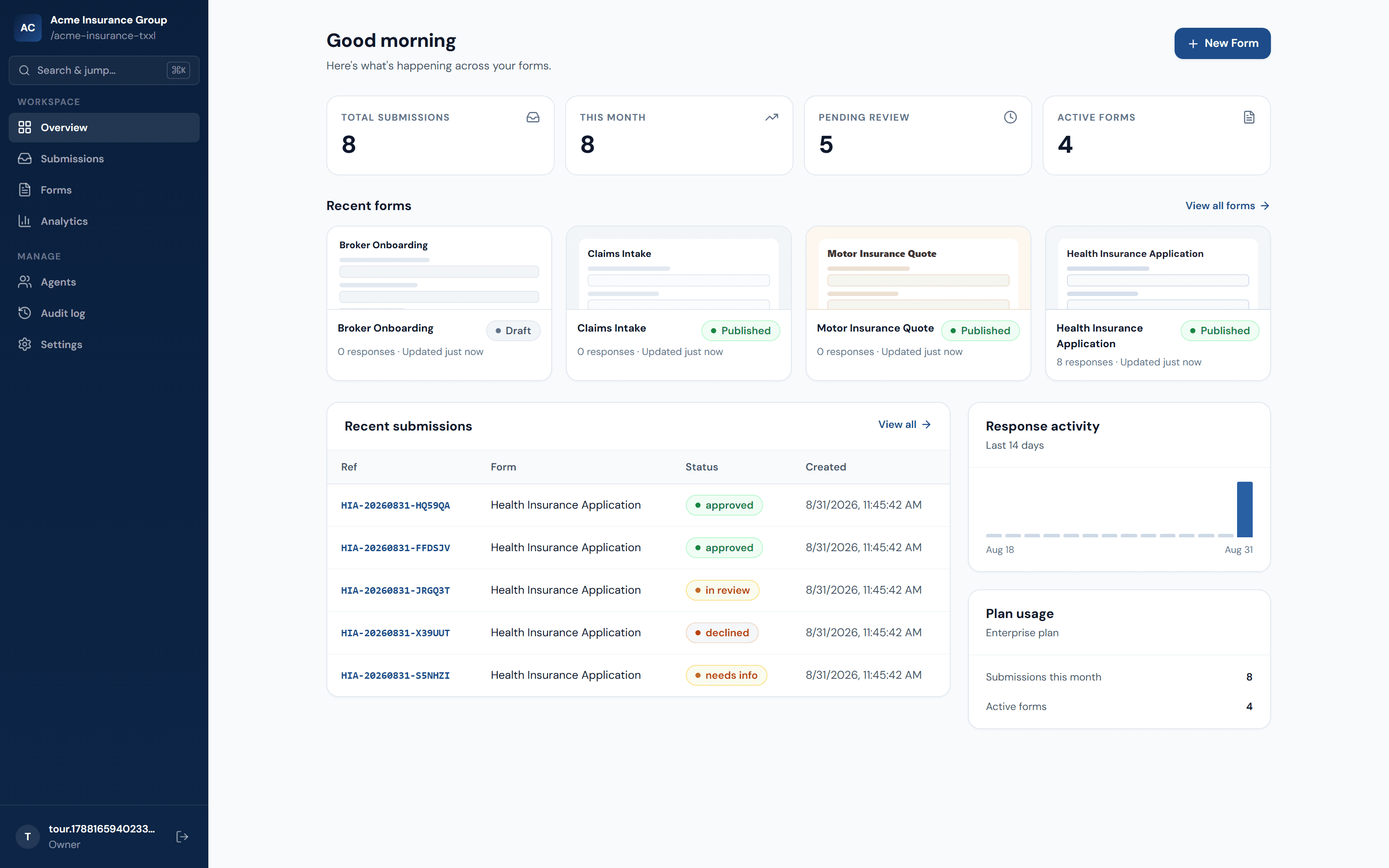
One view of everything happening across every form your team has published — submission volume, pending review, and what came in most recently.
Everything, actually built in
Not a form widget bolted onto a spreadsheet
Unda Forms is built for the parts of a real application process that most form tools skip: calculations you can trust, identity you can verify, and access you can control.
Visual form builder
20 field types — from text and dropdowns to repeatable groups, line items, and calculated summaries — added with a click, reordered by drag, fully keyboard-operable, no code required.
AI-drafted forms
Upload an existing paper form, or just describe the form in plain language — either way you get a structured draft back in seconds, ready to review and refine in the builder.
Ready-made templates
Health insurance applications, claims, incident reports, recruitment, and membership intake — start from a real, working template instead of a blank canvas.
Conditional logic
Show or hide fields and steps based on earlier answers, so applicants only ever see the questions that apply to them.
Server-verified calculations
Premiums, totals, and line-item sums are recomputed and verified server-side at submission time — never just trusted from the client.
E-signatures & identity verification
Typed or drawn signatures, plus one-time email code verification, tie a real, checkable identity to every signed submission.
Agent & referral tracking
Give brokers and intermediaries their own referral codes and see exactly which submissions came from whom.
Role-based access & MFA
Owner, admin, staff, and agent roles scope who can edit forms, review submissions, or only see what they personally referred — with optional two-factor authentication.
Audit log & GDPR self-service
Every meaningful change is recorded. Applicants and staff alike can export or erase their own account data on demand.
SSO for enterprise
Connect your identity provider over OIDC so your team signs in the same way they do everywhere else.
Outbound webhooks
Every new submission can POST straight to your own system or Zapier — signed and verified, so your CRM or claims system stays in sync without anyone re-typing anything.
Reliable, even offline
A submission made on a flaky connection queues automatically and sends itself the moment the applicant is back online — nothing is silently lost. Applicants can also get an emailed copy of what they submitted.
How it works
From idea to published in minutes
Start from a PDF, a description, or a template
Upload your existing paper form, describe the form you need in plain language, pick a ready-made template, or start from scratch — every path lands in the same visual builder.
Add logic, calculations, and verification
Wire up conditional steps, premium formulas, and e-signature or OTP verification — all configured visually, previewed live as you go.
Publish and start collecting
Publishing puts the form live at its own URL instantly. Every submission lands in a searchable inbox with status workflow and CSV export.
Built for
Where the paperwork actually is
Insurance & health applications
Health questionnaires, declarations, and calculated premiums that recompute correctly every time.
Financial services
KYC-style identity verification, line-item schedules, and audit trails for anything that needs to be checkable later.
HR & onboarding
Dependant details, repeatable sections, and typed or drawn signatures for new-hire paperwork.
Government & institutional intake
Role-scoped review workflows and a full audit log for processes that need a paper trail without the paper.
Trust & security
Built to survive an actual security review
The parts of the stack that don't show up in a demo but show up in procurement.
- Optional MFA and SSO (OIDC) for every organization
- Argon2 password hashing, short-lived JWTs, rate-limited auth endpoints
- Full audit log of every meaningful change, org-scoped
- Self-service GDPR export and erasure — no support ticket required
Signature
FAQ
Questions people actually ask
No. Published forms are public URLs — applicants fill them out and submit without signing up. Identity is verified per-submission via a one-time email code when a form requires it, not via a login.